![Signals From [Space]](https://substackcdn.com/image/fetch/$s_!IXc-!,w_120,h_120,c_fill,f_webp,q_auto:good,fl_progressive:steep/https%3A%2F%2Fsubstack-post-media.s3.amazonaws.com%2Fpublic%2Fimages%2F9f7142a0-6602-495d-ab65-0e4c98cc67d4_450x450.png)
![Signals From [Space]](https://substackcdn.com/image/fetch/$s_!lBsj!,e_trim:10:white/e_trim:10:transparent/h_48,c_limit,f_auto,q_auto:good,fl_progressive:steep/https%3A%2F%2Fsubstack-post-media.s3.amazonaws.com%2Fpublic%2Fimages%2F0e0f61bc-e3f5-4f03-9c6e-5ca5da1fa095_1848x352.png)

Every unanswered call in a nephrology practice represents more than a scheduling issue. For patients, it can mean delayed follow-up, missed lab work, confusion over appointment locations, or another point of friction in an already complex care journey. For practices, those same calls can compound into staff burnout, revenue leakage, longer hold times, and weaker continuity of care.
That was the starting point for our recent Signals webinar with Dallas Renal Group, Michigan Kidney Consultants, and Confido Health.
The conversation went inside one of Texas’ largest nephrology networks to understand what an AI patient access rollout actually looked like, from the earliest pilots to nearly two years of operational use. It also brought in a grounded clinical perspective from Michigan Kidney, where they are actively thinking through how to solve front-office challenges and where AI may fit inside a multi-site nephrology practice.
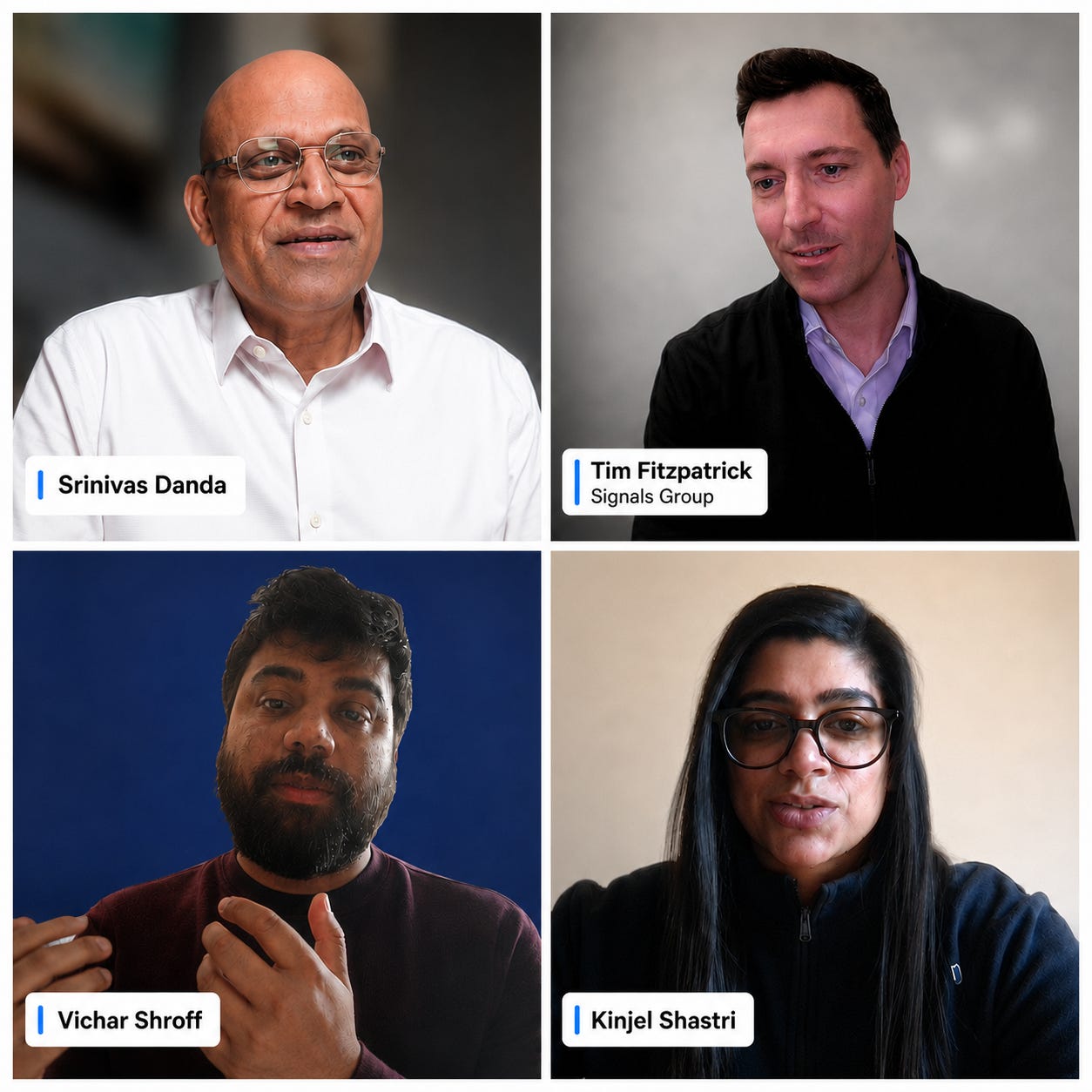
Participants
Srinivas Danda, Chief Operating Officer, Dallas Renal Group, where he leads outpatient operations across one of Texas’ largest nephrology networks.
Kinjel Shastri, nephrologist at Michigan Kidney Consultants, Michigan’s largest board-certified nephrology group, with 45 providers across 16 locations.
Vichar Shroff, Co-Founder and Chief Product Officer, Confido Health, which builds AI agents for specialty care operations.
What’s inside
Q&A
What did patient access look like before AI?
Srinivas: Mondays were always the hardest. Patients would wait the whole weekend to call us. They might be calling about prescriptions, checking an appointment date, confirming a location, or trying to follow up on something that had been sitting for a few days. So Monday call volume would spike, and then the volume would slowly come down as the week went on.
The challenge was that we only had so many staff members available to answer calls. Patients would get queued, wait on hold, hang up, and then call back again. That often made the problem worse because they would re-enter the queue and wait even longer. Before AI, our average wait time was more than a minute and a half. A lot of patients would not wait that long. They would drop the call, call back, or bring it up later with the physician during the visit.
That created pain points for patients, doctors, and staff. Staff were under constant stress because the phones were unpredictable. Sometimes they would get a lot of calls at once, and sometimes they would get none. They were trying to do other tasks while also managing the phones.
It also created imbalance inside the office. Some staff felt like they were answering all the calls while others were not carrying the same load. That resentment matters. We even lost a few staff members over time because of that phone burden.
Across Dallas Renal Group, we now estimate our call volume at roughly 4,000 calls per week, or about 16,000 to 17,000 calls per month.1
Kinjel: That definitely resonates. I looked at one of our busiest offices, where 10 physicians and four APPs see patients. From January to May, that office had about 3,200 patients. The average call volume for that one office was about 180 calls per day.
For us, that’s being handled by eight people: five MAs and three front-desk staff. And that is before you account for the time it takes a patient to get through the phone tree and reach the right person. On Mondays, my clinic staff spend a huge portion of the day answering messages from the weekend. When we looked at it, MAs were spending about 50% of their time on the phone. If you asked them, they would probably say it feels like 120%.
And that is just returning messages. It does not include the new calls still coming in while those messages are building up.
What did the AI agent actually sound like to patients?
Vichar: A lot of patient access still happens by phone. That is how many patients schedule, reschedule, ask questions, check locations, or get back in touch with the practice. In the Dallas Renal Group rollout, the AI agent became the first point of contact for many calls. It could answer the phone, identify the patient, confirm whether the patient had seen the physician before, check availability, and schedule the appointment.
One example we played during the webinar was a patient calling back after receiving outbound reminders. The patient wanted to schedule a regular checkup with her nephrologist. The AI agent confirmed her information, looked up her record, asked about her preferred days and times, and offered available appointments.
The important thing is that the AI was not just answering the phone. It was connected to the workflow. It could help with scheduling, follow-ups, prescription refill requests, and location questions. When it could not complete the task, it transferred the call to the right staff member.
Where did Dallas Renal Group start?
Srinivas: We started with outbound calls because we knew exactly why we were calling. That made it a lower-risk starting point. We began with reminders for appointments, lab work, and similar workflows. We also picked an office that already had call-volume problems, so the staff would feel relief if the AI could take some of that work off their plate.
We started seeing results right away. The AI was able to reach more patients than staff could manually because it was consistent. Staff may or may not have time to make every reminder call. With AI, we knew those calls were getting done.
That helped reduce no-shows and cancellations. We were reminding patients about labs two weeks in advance. If we did not reach them, the AI could leave a message. Later, when patients called back, the AI could answer and understand why they were calling.
Once outbound reminders were working, we rolled it from one office to another. After that, we moved into inbound calls. The most important thing before moving to inbound was having a fail-safe backup. If anything went wrong, we wanted to be able to return to our old system within seconds. That was the number one thing we worked on with Confido and our IT team before expanding.2
Where do you start with something like this?
Vichar: We usually follow a methodical deployment process. The first step is getting access to the EHR and phone system so we can run a baseline audit. Before automating anything, you need the practice’s real numbers: call volume by location, answered calls, abandoned calls, hold times, top call reasons, no-show rates, and outbound work that is supposed to happen but is not happening consistently.
Most practices already have much of this data. We bring it together into a scorecard. That scorecard becomes the baseline we hold ourselves accountable to as the AI improves. Then we move into workflow design. In nephrology, the AI has to understand specialty-specific workflows: CKD follow-ups, lab reminders, scheduling rules, what to do, what not to do, and when to transfer.
We always recommend starting low-touch. That means picking a workflow that is meaningful for the practice but low-risk operationally. As people get comfortable and the evidence builds, you can move into higher-touch workflows.
How did the rollout expand to new locations?
Srinivas: We started inbound in one location where wait times were long but call volume was not too high. We also considered whether the patient population was relatively comfortable with technology.
At first, the AI answered calls and handled simple requests. Many calls were about appointment reminders, confirming appointment details, or asking where the office was. That last one became more important than people might expect.
We have full-staffed offices and timeshare clinics. Patients sometimes get confused about where they are supposed to go. In the past, some patients would check online at the last minute and drive to the wrong location where their doctor also happened to see patients. After implementing AI, we stopped getting as many complaints about patients going to the wrong location. The AI could identify the patient, understand who their doctor was, and route them to the correct office or provide the right location information.
That also improved call routing. In the past, our phone system tried to route calls based on caller ID and other rules, but it did not always work. A call for one physician might go to a location where the staff did not know that doctor’s schedule. Then they had to spend more time helping the patient or transferring the call. With AI, the system can figure out who the patient is, who their doctor is, and where the call should go.
Once the AI was screening calls and handling simpler requests, we moved to scheduling. Then we added prescription refill requests, where the AI could create telephone encounters in the EMR for staff to review. It was a step-by-step approach.
Today, AI fully handles about 40% of our calls. The rest are transferred to the right office or staff member. Our goal is to get closer to 65% over time.
Why not have every patient go through AI?
Srinivas: Some patients still call and immediately say, “I want to talk to a staff member.” We made a policy decision that if a patient says that, we transfer the call. We do not want the AI to keep questioning them or create frustration. The goal is to help patients, not annoy them.
Over time, we think more patients will trust the system. One way we are helping that happen is by keeping AI available after hours. If patients call after hours to check an appointment, reschedule, or ask for basic information, the AI can help them.
Some patients who are hesitant during business hours may try it after hours because no staff member is available. Once they have a good experience, they may be more comfortable using it the next time.
What was harder than expected?
Srinivas: The hard part was not getting AI to work on simple workflows. The hard part was integration. For us, the biggest challenges were connecting with the EMR and the phone system. We use eClinicalWorks as our EMR and 3CX as our phone system, and we ran into issues with the phone system, the SIP trunk provider, concurrent call volume, and EMR limitations. Those technical pieces took more time than anything else.
The other important part was staff communication. We made sure managers clearly told staff this was not being implemented to create layoffs. It was being implemented to help them and take work off their plate.
That reassurance mattered. Without it, the rollout could have created anxiety before staff ever had a chance to see the benefit.
Vichar: I agree, the first major roadblock we see is usually EMR integration. A lot of these systems are older and not very API-friendly. You have to do a lot of work to make sure the AI can integrate in real time. You also need fallbacks because systems have downtime, rate limits, and restrictions on how many requests you can make. Some EMRs are more modern and supportive. Others are built on older systems or on-premise infrastructure. Either way, you have to make sure the AI can still function reliably.
The second challenge is change management. In the first 90 days, a lot of time is spent with operational owners, administrators, and leadership. They need to sign off on escalation logic, red flags, tone, workflow rules, and how the AI should behave with their patient population.
Multi-site groups add another layer of complexity. Every site may have its own scheduling rules, managers, habits, and preferences. A corporate mandate lands very differently than a peer saying, “This gave me my afternoon back. You should try it.”
That is why we like starting with one site, building proof, and then using that proof to expand to other sites.
How did Dallas Renal Group measure success?
Srinivas: Productivity matters, but it was not the first thing I cared about. For me, the bigger question was whether we were reducing staff burnout and improving patient access. If staff have fewer interruptions, they can do their jobs better. That means patients get helped faster, physicians hear fewer complaints during visits, and the office feels less chaotic.
The first visible sign was simple: the phones were ringing less. Managers started telling me staff were not complaining about the phones as much. Doctors stopped hearing as many patient complaints about hold times. Staff could focus more on rooming patients, documentation, messages, and other work instead of constantly stopping to answer calls.
The productivity gain is real too. We are doing more work with the same number of staff, and Confido is handling roughly the work of three full-time team members at a lower cost than hiring three additional people.
But the bigger value is knowing that patients are getting reminders, calls are being answered, and we have better data on why patients are calling. That data is now helping us design new workflows and think more proactively about how to reduce avoidable calls over time.
Kinjel: That resonates because MA (Medical Assistant) retention is a real issue in nephrology practices. A lot of staff feel like they are carrying more of the phone burden than others. They answer five messages, look up, and see ten more waiting. That wears people down.
Lab reminders are a good example. Some staff tell me they have to call patients four or five times to remind them to get labs done. That is a standardized task, and it is exactly the kind of work AI should be able to help with.
When I talk to physicians in other specialties, they are dealing with the same staffing problem. Practices lose MAs to other businesses and other companies. A large part of that burden is phone calls, messages, chart prep, and other repetitive work. So using staff morale as a measure of success is important.
So I do think staff morale belongs in the success metrics. If you can reduce repetitive phone work, give MAs more room to focus, and make the day feel less reactive, that matters.
Where should another nephrology practice start?
Srinivas: Start with the pain point. What problem are you actually trying to solve? Is it missed calls? No-shows? Lab reminders? Routing? Staff interruptions? Look at your current technology, your current workflows, and where the biggest operational pressure is coming from. Once you know that, start small and prove it.
Kinjel: I would start with standardized outbound calls, especially appointment reminders and lab reminders. Those are repetitive, high-burden workflows that do not require the practice to change everything at once. Pick one office, make sure it works for your staff and patient population, and then expand.
Vichar: The baseline audit helps make that decision. For many practices, outbound reminders are the lowest-risk starting point. For inbound calls, existing-patient scheduling and prescription refills are usually better early workflows than new-patient intake because they are more standardized. Start with existing patients, prove the workflow, and then expand.
Why choose voice instead of text?
Srinivas: We tried text-based systems in the past. The challenge is two-way communication. If a patient sends a message and you do not respond quickly, the patient may be unhappy. And we cannot always have the right person respond immediately. With voice, the system can talk to the patient, understand what they need, respond, and transfer the call if necessary.
Patient demographics matter too. Nephrology patients are often older. Many prefer phone calls over text messages. Some patients are in nursing homes or group homes, where a call may go directly to staff who help coordinate care. We still use text messages in some cases. If we cannot reach a patient and we have a mobile number, we may send a text. But voice made more sense as the primary channel for our population.
Kinjel: We recently started using text reminders for appointments, but it is still early. Some patients opt in, some do not. With our population, it is probably close to 50/50. Texts can also be easy to miss. Patients may have 20 messages sitting there. With a phone call, especially through an AI agent, you can track that the patient was called at a specific time and that a reminder was delivered. And for nursing home patients, group home patients, or patients who rely on staff for coordination, the phone often works better.
What happens when AI encounters an edge case?
Vichar: Edge cases are the whole game. Anyone can demo the happy path. What matters is how the agent behaves when something falls outside its lane and how often that happens.
The default behavior has to be fail-safe. If the AI cannot handle something or should not handle it, like a clinical question, it should not improvise. It should escalate. That may mean transferring the call. If it cannot transfer the call, it can create a telephone encounter in the patient chart with a structured summary so staff can take action later.
The AI should do what a good human staff member would do: recognize the limit, preserve the context, and route it appropriately. Because workflows are tightly scoped before go-live, true edge cases are relatively uncommon. But when they do happen, we use them to improve the system so that some edge cases stop being edge cases in the future.
Srinivas: We trained the system using a lot of our own historical phone calls. That helped because it could learn what kinds of calls patients actually make, how staff handle them, and where the system should escalate.
The step-by-step approach also helped. We did not try to automate everything at once. We trained the system, watched what happened, and added more knowledge over time.
What does a baseline audit include?
Vichar: We call it a current-state assessment. On the phone-system side, we look at call volume by office, call volume by patient, missed-call ratios, abandonment rates, where patients are dropping in the phone tree, and where the biggest gaps are.
If the practice records phone calls, we can also analyze transcripts and sentiment. That helps identify what calls are actually about. For example, 40% might be scheduling, 30% might be prescription refills, and the rest might be clinical questions, insurance calls, provider referrals, or other issues. Then we present that data back to the staff and leadership team. The goal is to decide which workflows to start with based on volume, structure, and operational readiness.
On the EMR side, we look at provider schedules, templates, blocks, scheduling rules, no-show rates, empty slots, and care gaps. That helps us identify where outbound campaigns may help. For example, if CKD stage 4 or 5 patients need to be seen every few months and are not coming back in, the AI can help get those patients scheduled.
Can this connect to chronic care management, RPM, or value-based care programs?
Vichar: Yes, but it depends on the workflow:
For RPM, we are not integrating directly with devices. We are acting more like phone support, the way a staff member would.
For chronic care management and value-based care programs, AI can help with outbound campaigns by phone, text, or email. It can help engage patients, support enrollment, and bring patients back into the practice.
A lot of practices use AI for value-based care programs by identifying patients who need follow-up, scheduling visits, reminding patients about labs, or helping close care gaps. The point is that AI can act like an additional staff member that can make a high volume of calls at once and help bring patients back into care.
What should leadership consider before approving a rollout?
Srinivas: We were an early client for Confido. The first project I gave them was analyzing phone call recordings. That gave us insight into what was happening on calls and where the problems were. Then I went to management and explained that this was a new technology we wanted to test because everyone already knew phone calls were a major issue. We started with a smaller budget and limited scope. Within six months, we saw strong results. After that, we increased the budget and launched across the practice.
For leaders, I think it helps to start with a known pain point, test it in a controlled way, and then expand once the results are clear.
What advice would you give practices considering AI now?
Srinivas: When you implement something like this, AI can become the scapegoat. If anything goes wrong, people may immediately blame the AI. That happened to us several times. I would call Vichar and say, “Something is going on. We need to look at this.” His team would investigate and often come back with the actual root cause.
That support was important because it helped us address false alarms quickly. You need to take feedback seriously. Look at every issue. Find the root cause. Fix what needs to be fixed. Over time, confidence builds.
Scheduling is still very complex in nephrology, especially with multiple locations and timeshare clinics. We still find things to improve, like overbooking issues or appointment-creation rules. But those are solvable. Like any technology, give it time to mature. Work with the vendor, patients, and staff. Take feedback seriously and keep improving the system.
Kinjel: I would point out every practice structure is different. What you look for at 90 days may be different from what you look for at 18 months. Workflows vary by office. Patient populations vary. Technology comfort varies.
The ability to customize the system to what your practice actually needs is important. It may not look the same in every office.
That is one of the biggest things I took away: start with your own workflow, your own patient population, and your own operational needs.
Vichar: This is an exciting time because everyone is talking about AI. But practices need to judge what they actually need automated. AI should not be framed as taking jobs away. It should help the current team become more productive.
The first reaction from staff may be fear because AI is still unfamiliar. But the goal is to help staff do their jobs better and improve patient access. There are many tasks humans cannot consistently do today because there are only so many working hours in a day. AI can be available 24/7 for the right workflows.
That can help the practice, the staff, and the patient.3
If you’re working through similar questions in your practice, we’d love to hear what you’re learning. Leave a comment below or share this with a colleague.
After the recording, we clarified that its actual call volume is approximately 4,000 calls per week, or 16,000–17,000 calls per month, rather than the higher figure referenced during the live discussion. The corrected figures have been used throughout this edited Q&A.
Confido Case Study: Dallas Renal Group shares how Confido helps ensure every patient call is answered around the clock. With faster response times, fewer missed calls, and more consistent patient outreach, their team improved access to care while easing the burden on staff. Watch it here.
Disclosure: This webinar was produced by Signals Group in partnership with Confido Health, whose team participated in the discussion alongside Dallas Renal Group and Michigan Kidney Consultants. It also continued a conversation that began during a private Signals dinner on AI in nephrology at the RPA meeting in Atlanta this April. Please contact Confido for any specific questions on their technology, product, or pricing.
![Signals From [Space]](https://substackcdn.com/image/fetch/$s_!NnOt!,w_96,h_96,c_fill,f_auto,q_auto:good,fl_progressive:steep,g_auto/https%3A%2F%2Fsubstack-post-media.s3.amazonaws.com%2Fpublic%2Fimages%2F688fc47b-7202-4a2e-b4f4-fea2b047ab1b_1500x1500.png)


